Screen and buttons
You do not need to learn every display at first. Start by locating four things: the current part, current mode, pads and Fn.
Top of the device
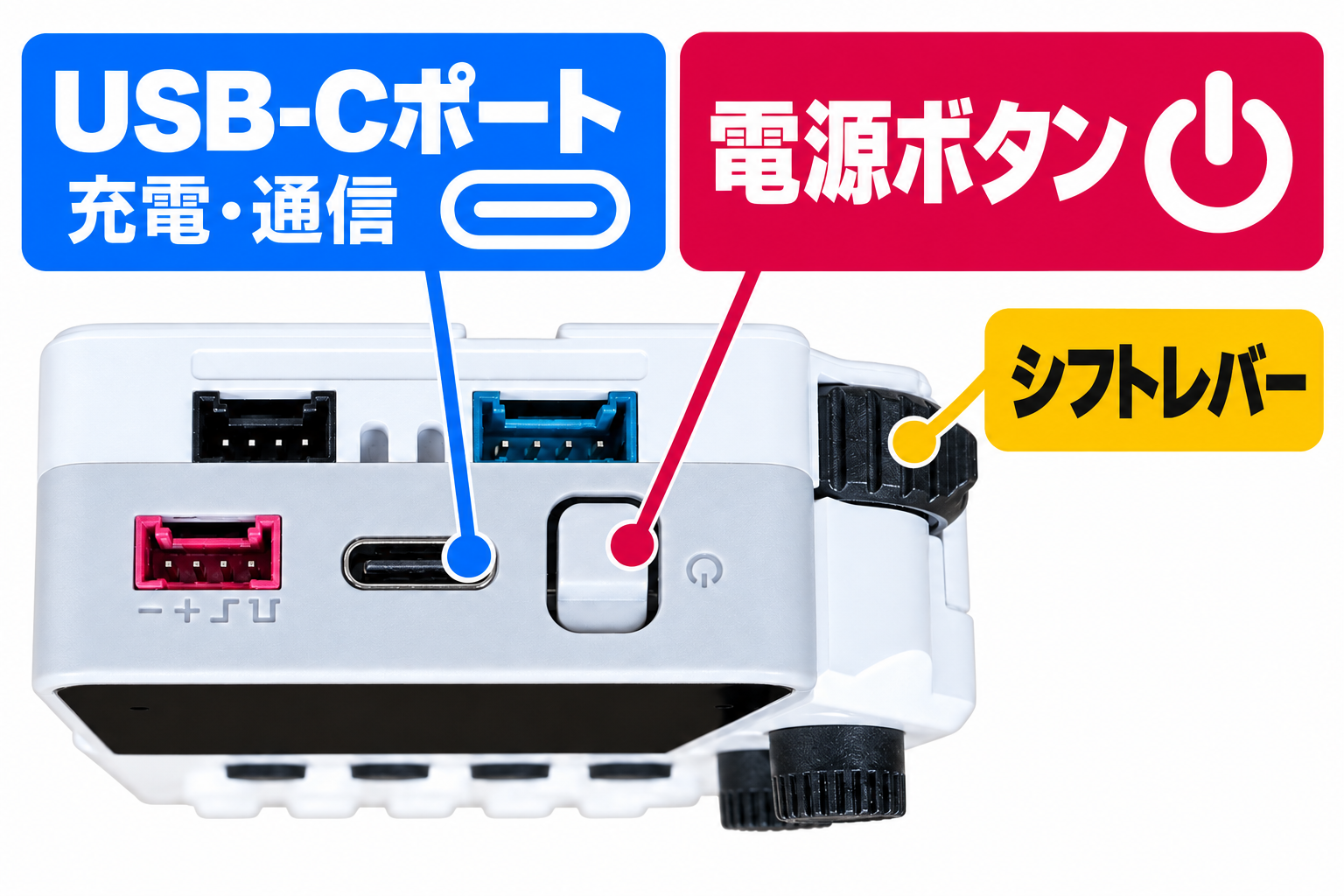
Front of the device
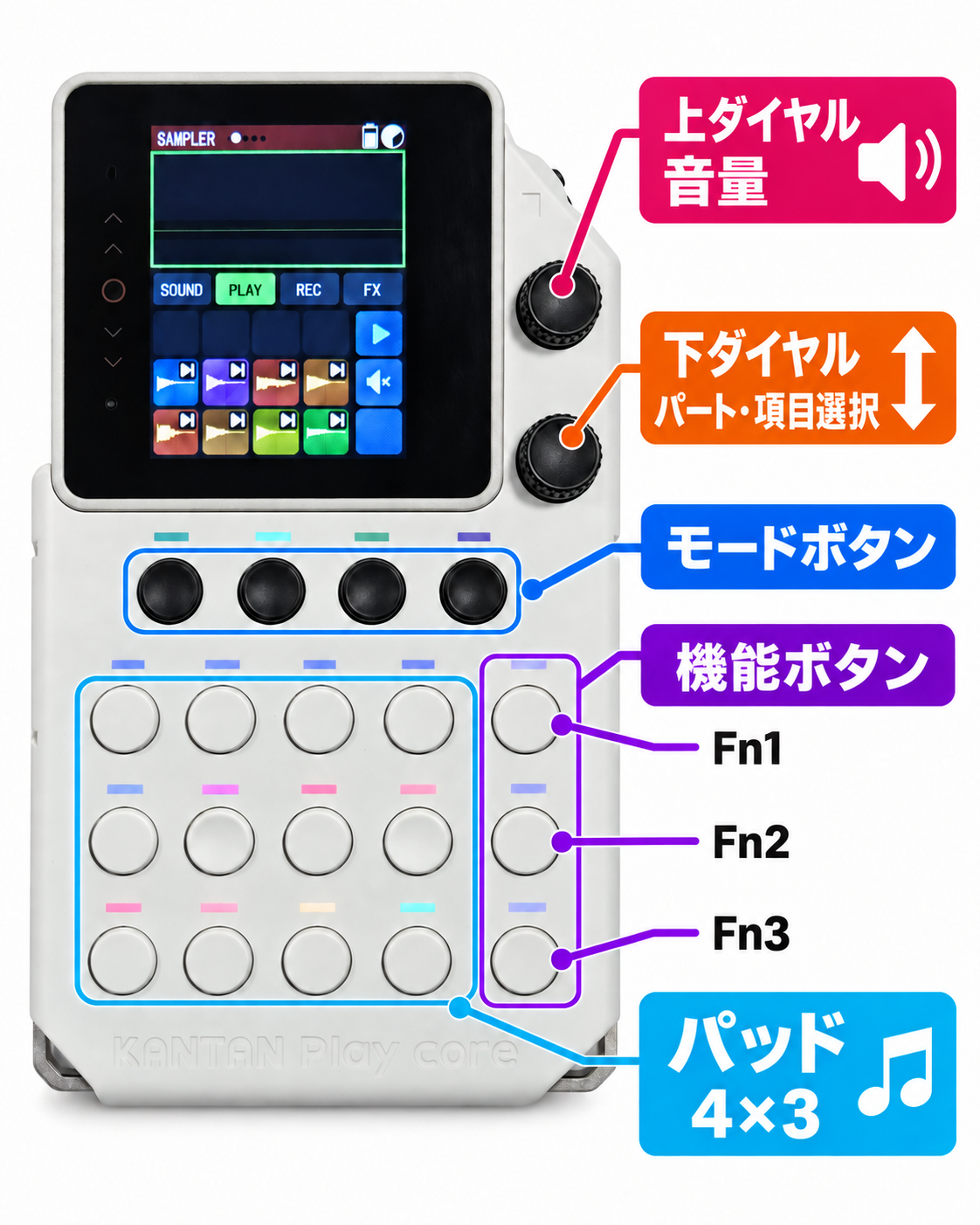
Read the screen
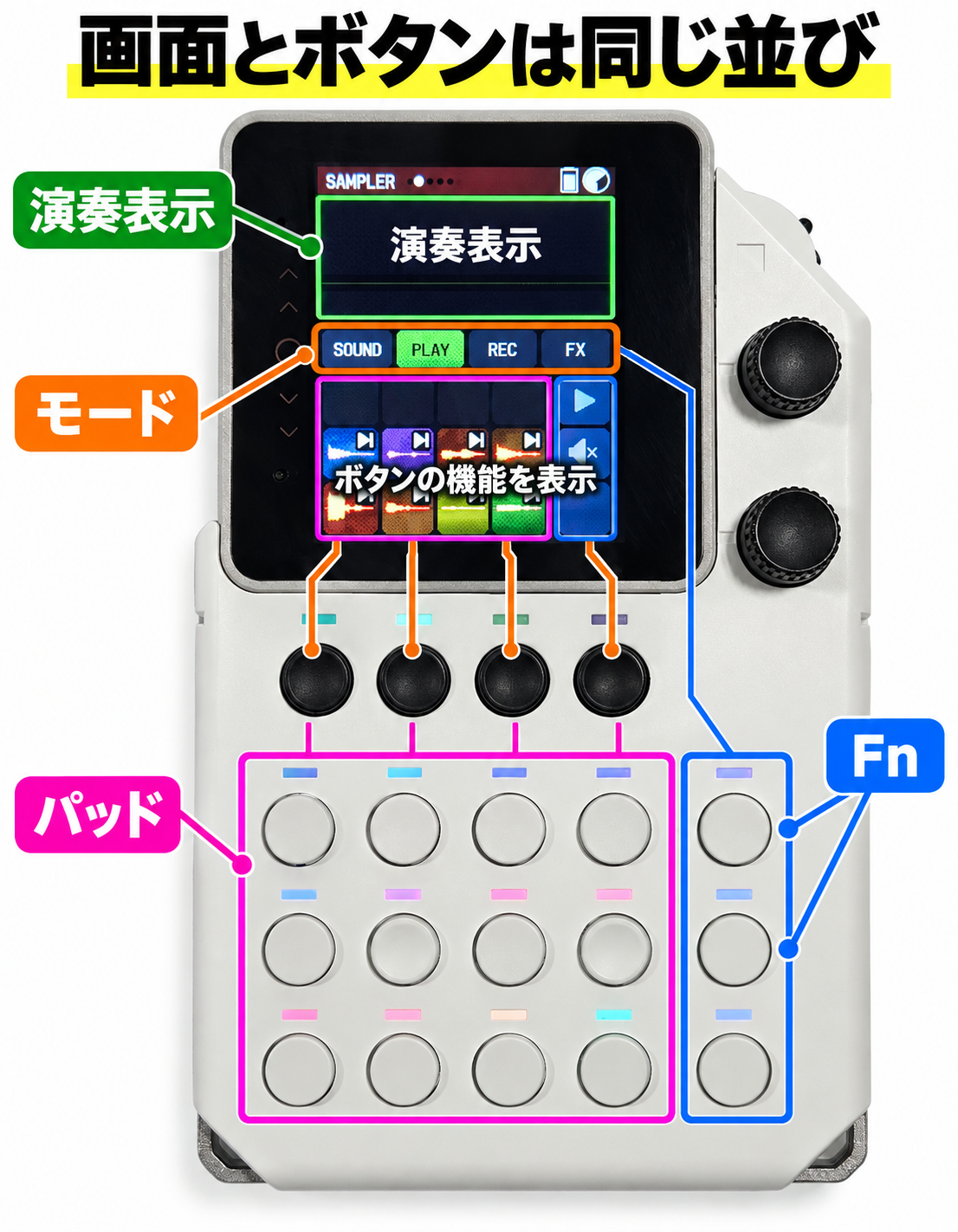
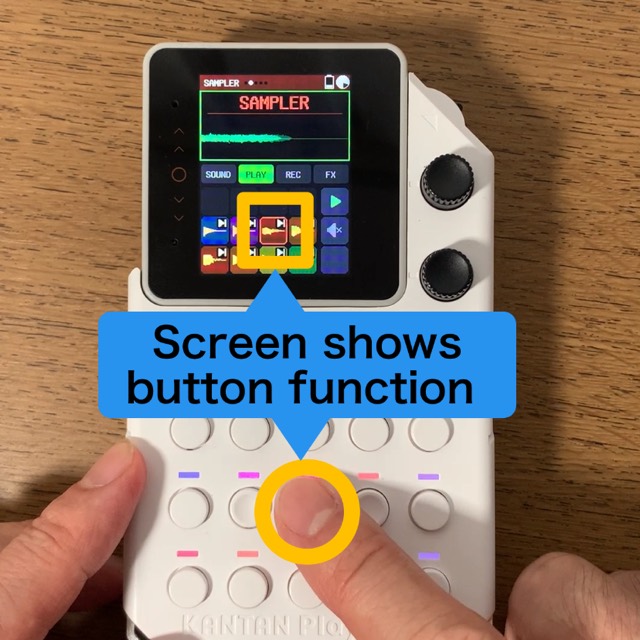
The displays at the bottom of the screen follow the same layout as the physical buttons.
1. Current part
The currently selected part name appears at the top left of the screen. You can layer six parts during a performance.
BEATSAMPLERBASSMELODYCHORDMUSIC
Note: the MUSIC part appears only when a MUSIC file is loaded.
2. Performance display area
This is the large area at the top of the screen. It shows waveforms, the playback position in the Loop and other information according to PLAY, REC or the current editing operation.
3. Four modes
SOUND / PLAY / REC / FX in the center of the screen shows the functions of the four black mode buttons below the screen.
| Mode | Function |
|---|---|
SOUND |
Select, record and edit sounds |
PLAY |
Play samples freely |
REC |
Record a performance into a Loop |
FX |
Apply effects to playback audio |
4. Button function display area
The grid in the lower half of the screen shows the functions of the white buttons, arranged in five columns and three rows.
- Left four columns: 12 performance pads
- Rightmost column:
Fn1,Fn2andFn3from top to bottom
Dials on the right
Upper dial
- Turn: Change the volume
- Press: Stop the sound
Lower dial
- Turn: move between parts or move the menu cursor
- Press: open the menu or select an item
Tip
If you lose track of an operation or a sound will not stop, first press the upper dial.
Look up menu items
For the structure of the menu opened by pressing the lower dial, see the menu hierarchy and numbering reference.