Quick Start Guide
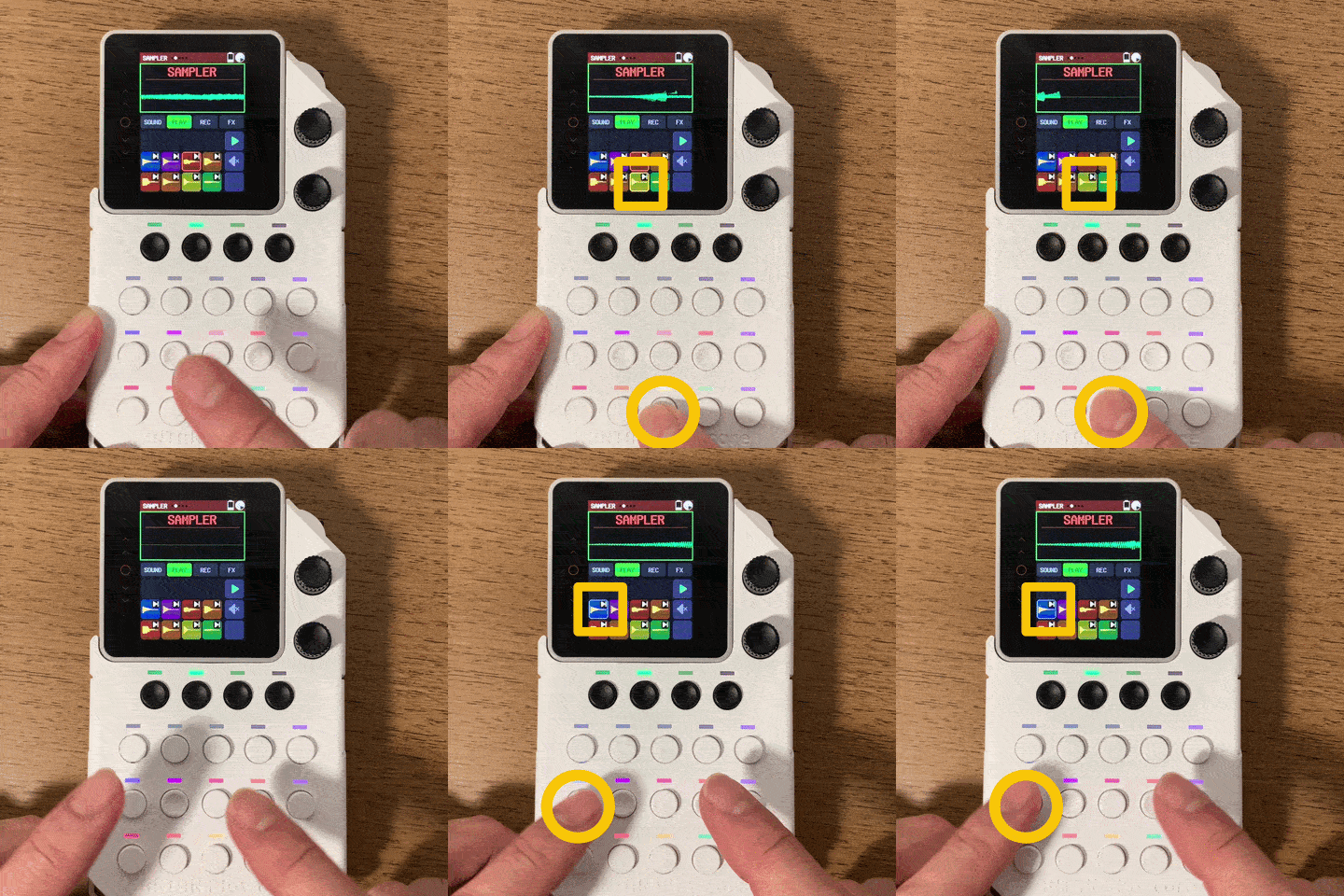
Discover KANTAN Sampler through three hands-on activities:
- Play samples (sounds)
- Play along with a beat
- Record your performance
No complicated setup is needed. Start from the default settings and follow the steps below for an experience that takes about five minutes.
Before you start
Turn on the power
The power button is on the top of the device.
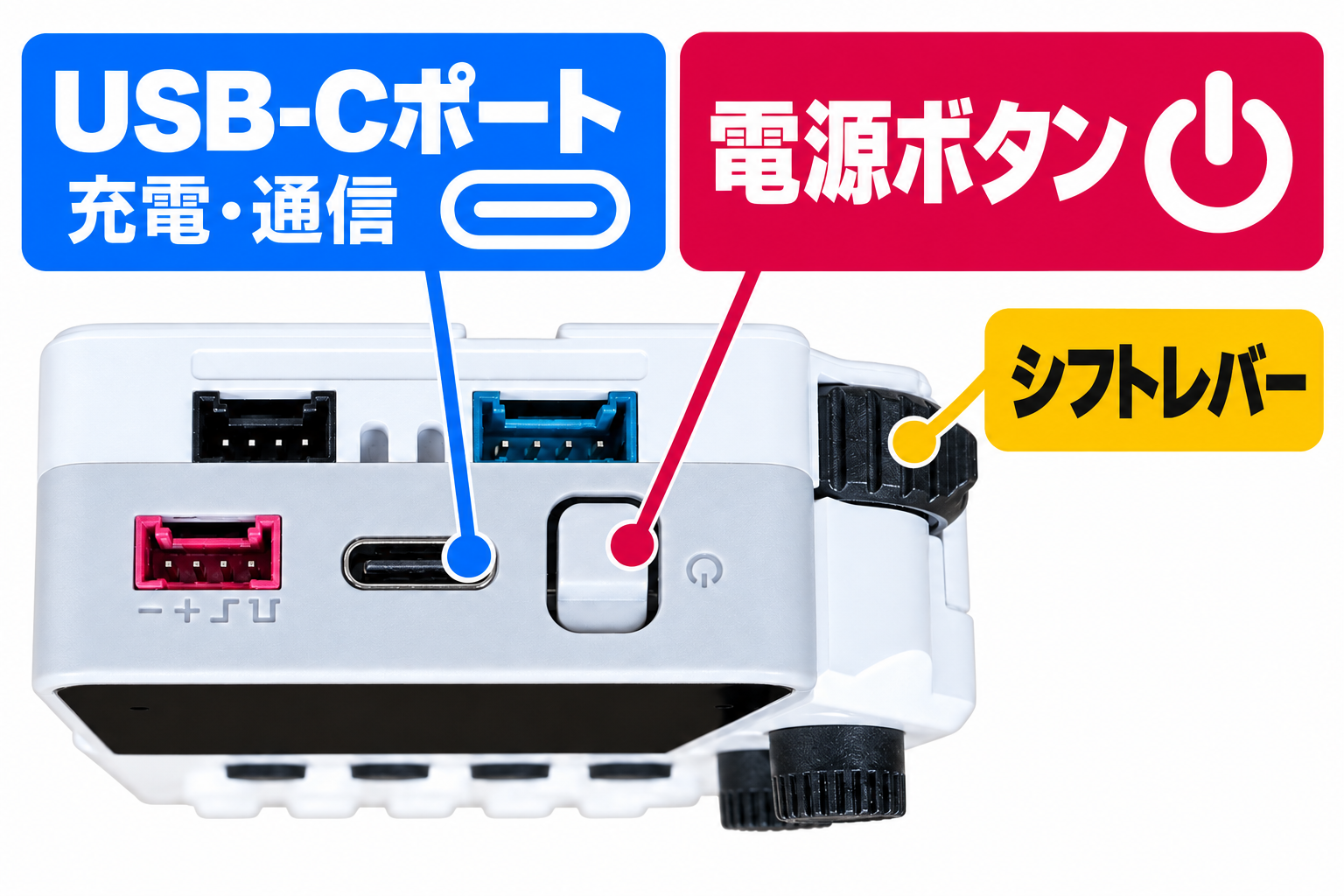
Parts of the device
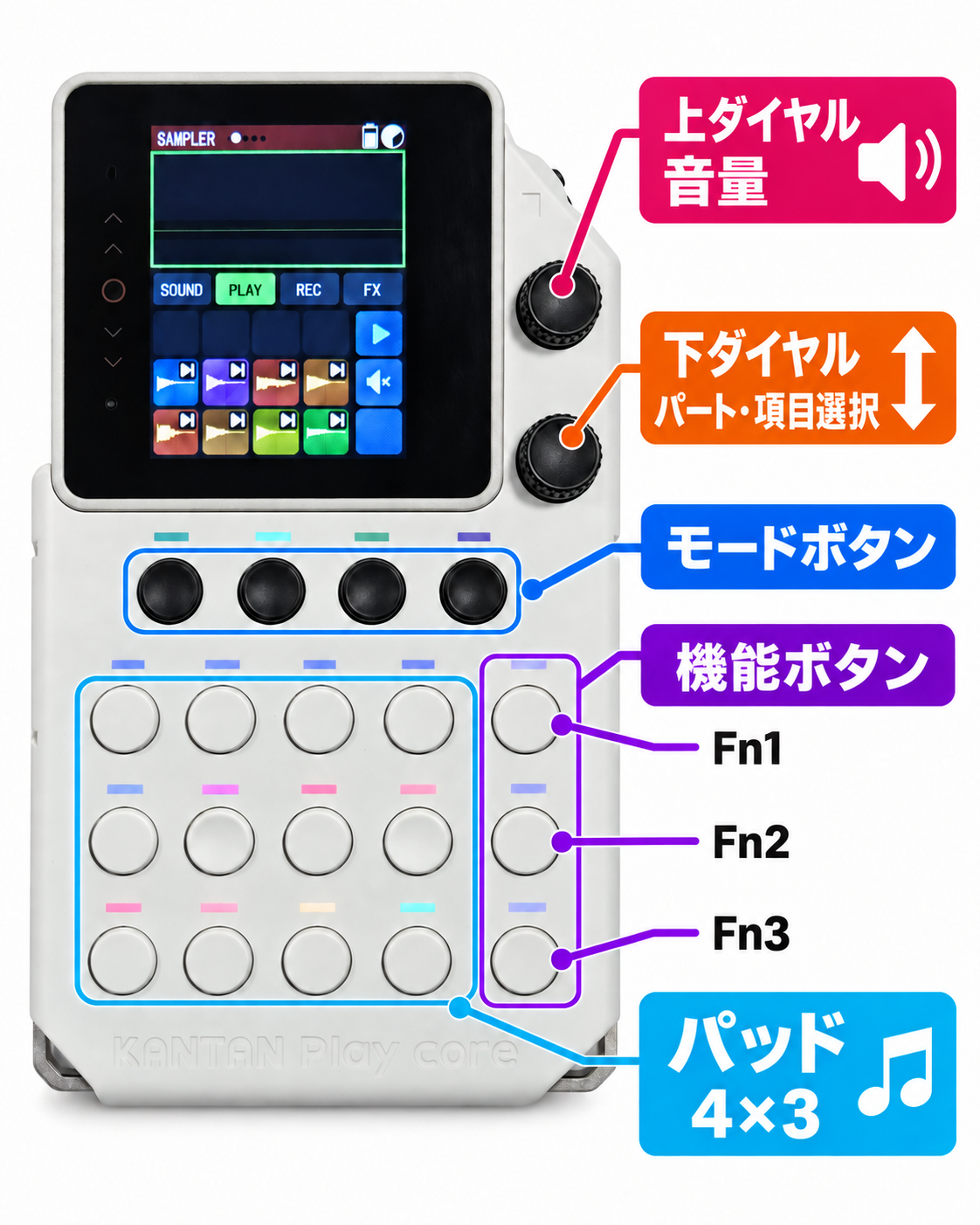
Parts and modes
Choose a part
From the five parts, choose Sampler .
Choose a mode
From the four modes, choose Play .
Learn more about parts and modes
If you need help
Change the volume
Turn the upper dial to change the volume.
Stop the sound
Press the upper dial to stop all sounds.
1. Play samples (sounds)
Press the pads and try the sounds.
Each pad has a sample (sound) assigned to it. The lower half of the display shows what each button does.
Note: Pads shown as blank on screen have no sound assigned.
2. Play along with a beat
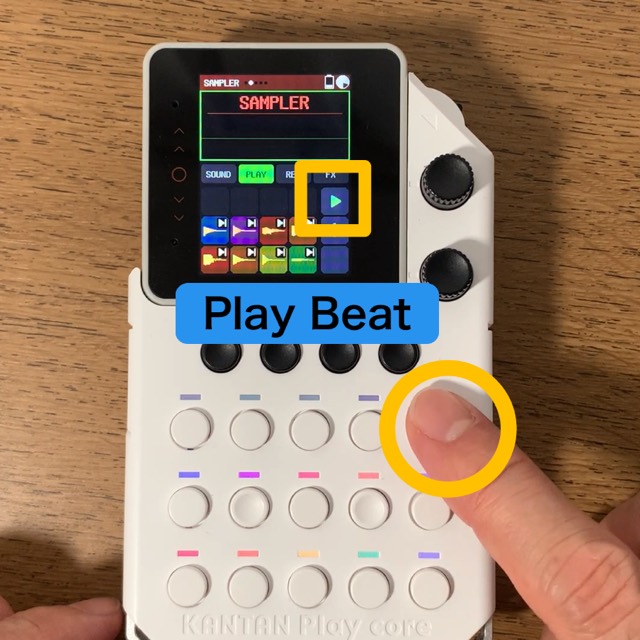
The top function button in the rightmost column (Fn1) shows the play icon.
Press it to start the beat; press it again to stop.
Try playing your favorite sample pads along with the beat.
3. Record your performance
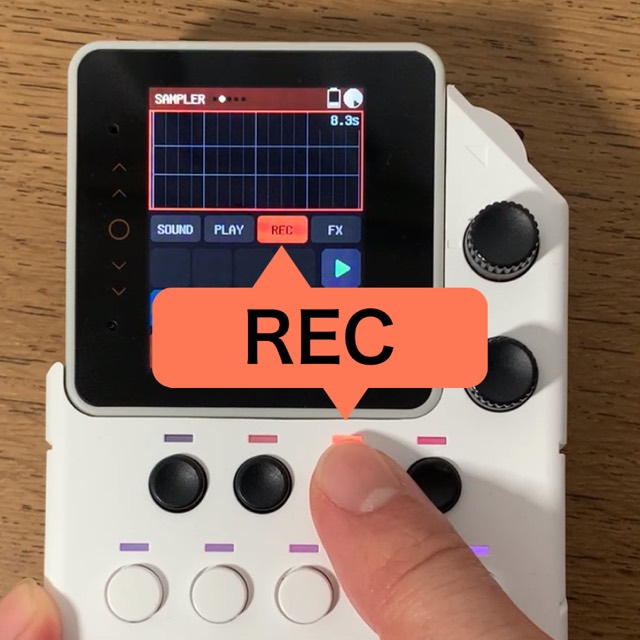
REC mode lets you record what you play on the pads.
Of the four black mode buttons, press the third from the left to switch to REC mode.
Play along with the beat. What you play is recorded and played back repeatedly.
When you do not want to record
Press the second black mode button from the left to switch to PLAY. In PLAY, pressing pads does not record your performance.
Temporarily mute a recorded performance
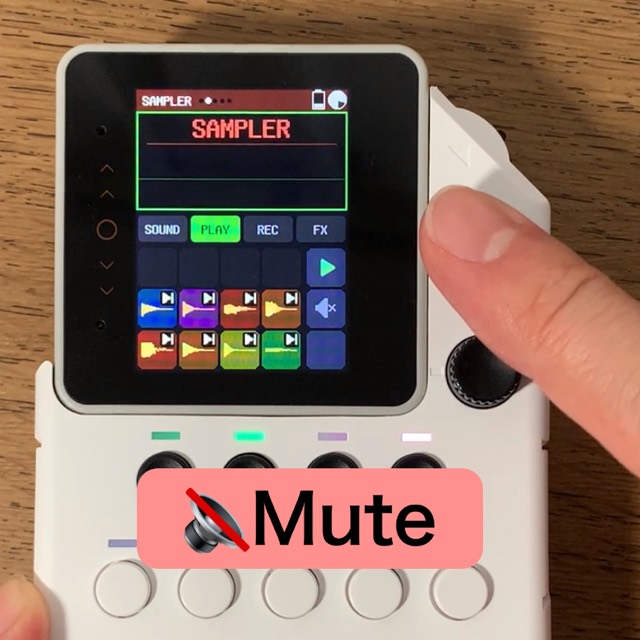
Press the mute-icon button (Fn2), second from the bottom in the rightmost column. This mutes only the recorded performance of the current part. Press it again to restore playback.
Undo a wrong note
In REC, use the trash-icon button (Fn3) at the bottom of the rightmost column.
- Short press: remove the most recent note
- Long press: erase all recorded notes in this part
You have learned the basics
You have played samples, played along with a beat and recorded your performance.