Songwriting, beatmaking and DJ performance in one handheld instrument. Record sounds, layer phrases and shape your music with FX. KANTAN Sampler turns the musical skills you already have into new ways to create and perform.
A large color display makes the controls clear. Built-in microphone, speaker, sound engine and battery.
BEATMAKING / SONGWRITING / DJ PERFORMANCE
Move between songwriting, beatmaking and DJ performance.
A songwriter trying beatmaking. A DJ writing their own music. Build on your musical experience and explore a form of expression you have not tried before.
01 BEATMAKING
Layer sounds over a beat. Make the loop your own.
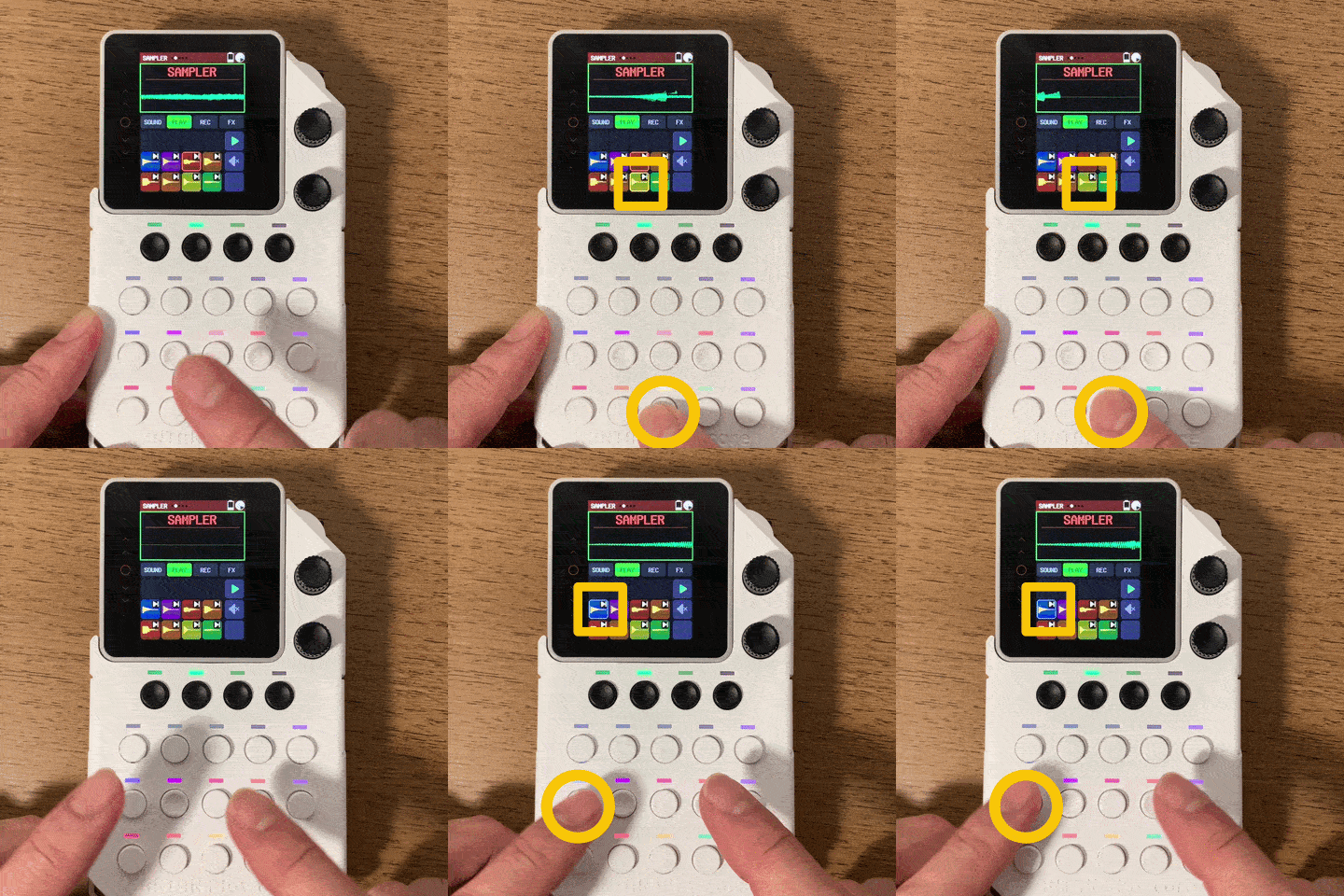
Start with built-in House or Hip Hop beats. Record your voice or sounds around you, chop them and play them on the pads. Capture the timing of your performance in a loop.
Bring parts in and out. Shape the flow with filters and repeats, then add scratches with the lever. Use your own loops or imported tracks as performance material.
You do not have to program your first rhythm from scratch. Choose a beat and add phrases with the pads. Switch to REC to capture when you play, and hear your performance repeat.
1
Choose a beat you like
Preview built-in House, Hip Hop, Disco and other beats. You can also use your own WAV, MP3 and MIDI files.
2
Layer a performance into the loop
Play samples or bass on the pads and capture them with REC. Add melody or chords on the next pass to build your phrase.
FIVE MUSICAL PARTS
More than drums. Bass and chords, too.
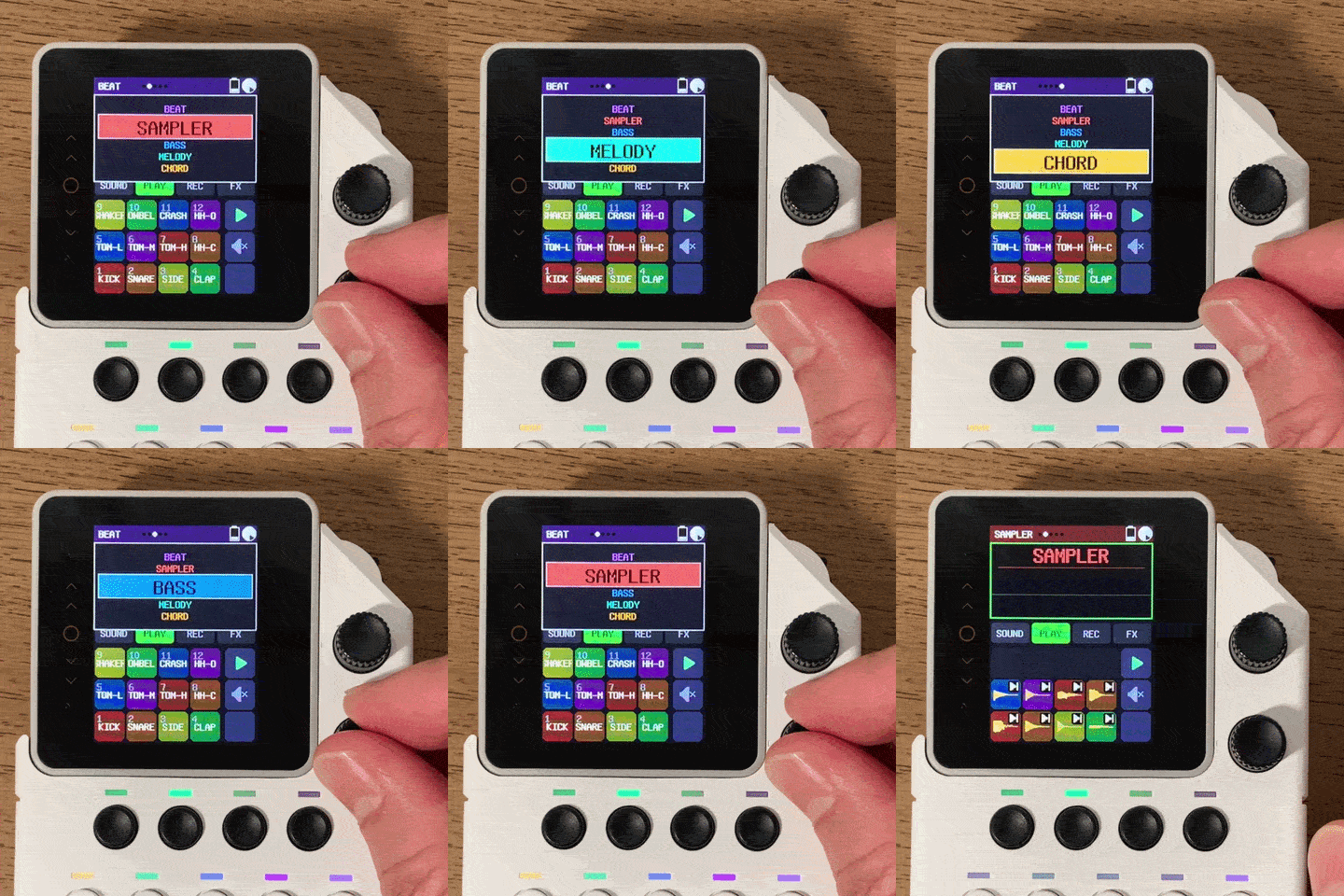
Add bass lines, melodies and chords to beats and samples. Try ensemble ideas on one instrument using built-in sounds or your own samples.
01BEATDrums / the rhythmic foundation
02SAMPLERAny sound / sound effects
03BASSBass / low notes
04MELODYSax and more / melody
05CHORDPiano and more / chords
Bass, melody and chord notes are mapped to the pads using a shared key and scale. Explore phrases and harmonies within your chosen key.
MOVE. CONNECT. PERFORM.
Take one instrument with you. Connect it. Go further.
With a built-in microphone, speaker, sound engine and battery, you can try phrases on the sofa, make beats in the studio and perform on stage. Take the same instrument from creation to performance.
Hold it. Play it live.A battery-powered instrument that fits in your hand. Play the pads standing up and add scratches with the lever.
Use your own controllerAssign performances and controls to USB or BLE MIDI keyboards and pads, USB computer keyboards, gamepads or expansion buttons connected through the Grove port.
Add sounds. Organize files. From your computer or phone browser.
Transfer and organize samples and beats from a computer or phone on the same Wi-Fi network. Add sounds or download files stored on the device without removing the SD card.
These specifications describe firmware currently in development and may change in the release version.
Frequently asked questions
Can I use it if I am new to beatmaking?
Use a built-in beat as your foundation and record pad phrases into a loop. On-screen button labels help you explore beat selection, recording and FX. The Quick Start Guide introduces the basic workflow.
Can I save my phrases and performances?
Save beats, phrases for each part, sounds, FX and Mixer settings to the SD card as a Project. You can also record the entire performance as one WAV file. WAV recording and Music Player cannot be used at the same time.
Can I use my own sounds and music files?
Record sounds with the microphone, or use WAV and MP3 files as samples, audio beats or tracks in Music Player. Make sure you have the necessary permission to use third-party recordings.
Are the price, release date and sales regions confirmed?
This information is being prepared. We will announce confirmed details here and through official updates.
NEXT STEP
Make your first loop.
Choose a beat, play the pads and record into a loop. The Quick Start Guide takes you through the basics of creating and performing.